DR CloudCasa Servers
Note
This section applies only to CloudCasa self-hosted installations, not to CloudCasa SaaS.
This page provides information about CloudCasa servers installed at the primary and DR sites. In a typical DR configuration, workloads would be running in a cluster at the primary site while the cluster at the DR site is in a standby state, ready to start running workloads if the primary site fails. In this scenario, one may want to install two different CloudCasa servers - one at primary site and the other at DR site. The primary cluster will be registered in the CloudCasa server running in the primary site while the DR cluster will be registered in the CloudCasa server running at DR site. To be clear, installing two CloudCasa servers as described above is not mandatory. CloudCasa fully supports using the same CloudCasa instance for both primary and DR clusters.
In the two-server architecture, the CloudCasa server running at the primary site is referred to as the primary CloudCasa server, and the CloudCasa server running at the DR site is referred to as the remote CloudCasa server.
Adding a remote CloudCasa server
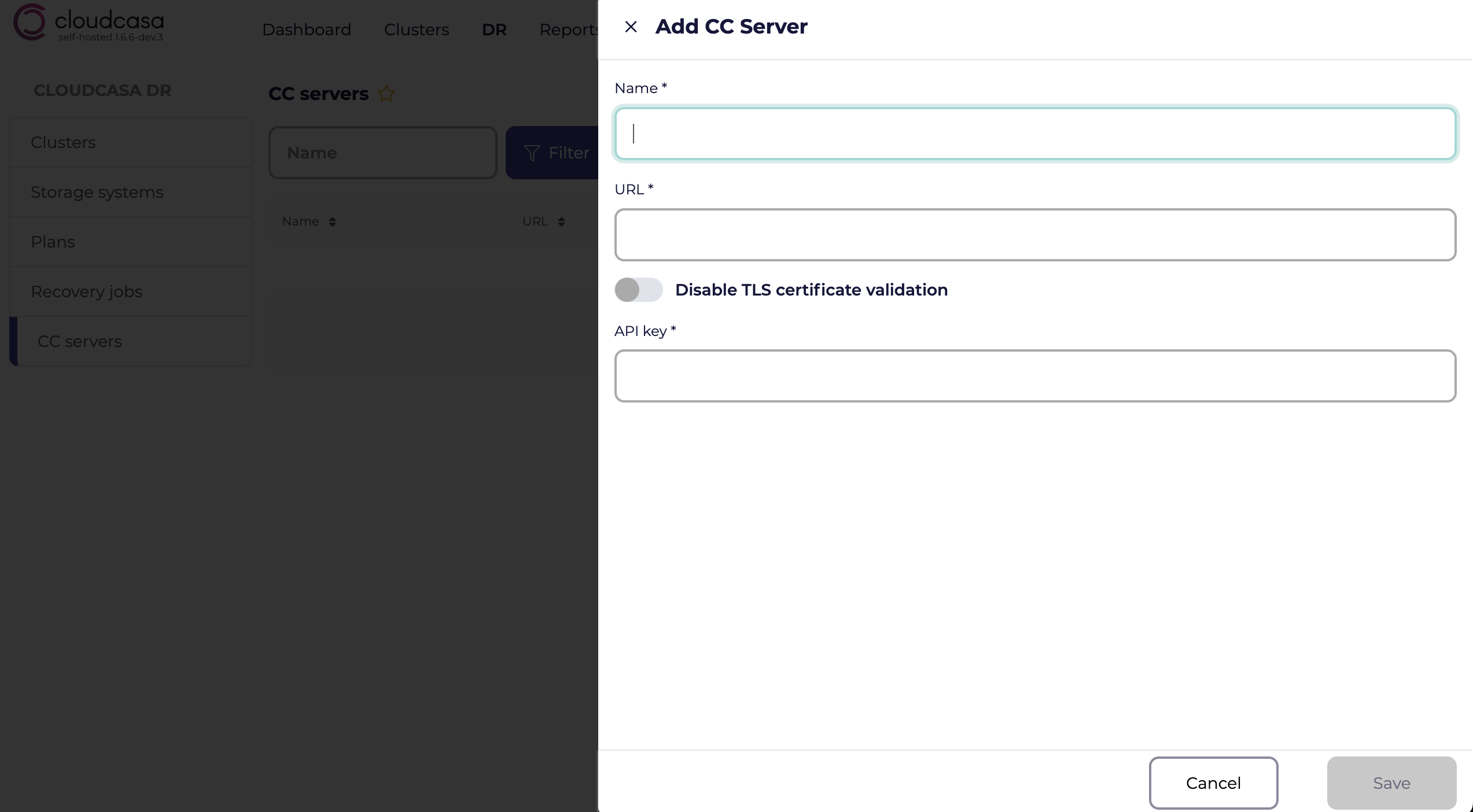
A remote CloudCasa server can be added to CloudCasa by going to DR => CC servers and clicking on Add CC server. When adding a remote CloudCasa server, you will be prompted to supply the following information:
- Name
A descriptive name you want to use for this CloudCasa server.
- URL
The externally reachable base URL of the remote CloudCasa server, for example
https://cc-dr.example.com. A custom port can be included in the URL, such ashttps://cc-dr.example.com:8443. The URL must be reachable by the other CloudCasa server. HTTPS and a stable fully qualified domain name (FQDN) are recommended.- Disable TLS certificate validation
Select this option if the remote CloudCasa server uses a self-signed certificate. When validation is enabled, the TLS certificate presented by the remote CloudCasa server must be trusted and must match the configured hostname.
- API key
An API key with ADMIN role, created on the remote CloudCasa server.
Automatic reverse configuration
When a remote CloudCasa server resource is added, CloudCasa automatically creates a matching CloudCasa server resource on the remote CloudCasa server that points back to the primary CloudCasa server. This includes generating the required API key on the remote CloudCasa server. The reverse resource is named using the pattern:
Reverse CloudCasa server (<NAME-OF-THE-CREATED-CloudCasa-SERVER>)
This automatic reverse configuration enables requests to be initiated in either direction, which is recommended for keeping resources in sync and also for failover/failback operations. Bidirectional reachability is not strictly required for failover: if the primary site is down, failover still works, but workloads are not stopped automatically on the primary site. DR recovery jobs themselves are managed from the remote CloudCasa server.
Network connectivity requirements
The two CloudCasa servers communicate by sending authenticated REST requests to each other over HTTPS.
Before configuring a remote CloudCasa server, confirm the following:
Each CloudCasa server can reach the other over HTTPS.
TCP 443 is allowed by default, or the custom port specified in each URL is allowed.
Any stateful firewalls on the path allow the corresponding inbound traffic and the return traffic that follows.
DNS names used in the URLs resolve from both CloudCasa installations. Stable DNS names are recommended over IP addresses, because a stable FQDN allows communication to continue after an IP change as long as DNS is updated and the TLS certificate remains valid.
TLS certificates are trusted and match the configured hostname, unless certificate validation is explicitly disabled.
It is highly recommended that both CloudCasa servers use a stable DNS name so that even if a server needs to be reinstalled (and catalog restored), it can still be reached by the other CloudCasa instance.
Using the remote CloudCasa server in a DR plan
While creating a DR Plan, users can configure a CloudCasa server, if one is present.
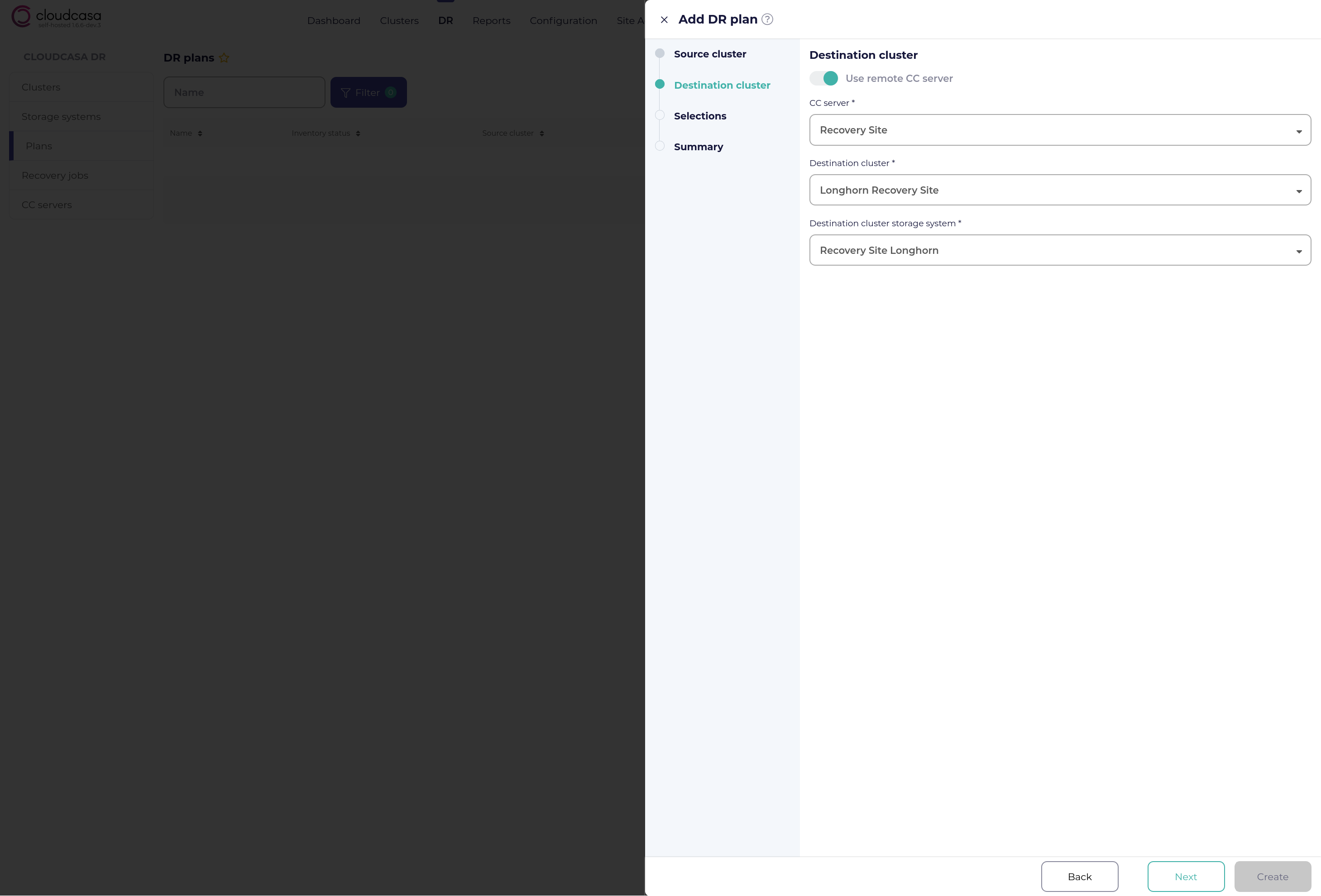
When a remote CloudCasa server is configured for a DR plan, several DR-related resources, such as the DR plan, storage systems, cluster storage systems, and storage volumes, are synced from the primary CloudCasa server to the remote CloudCasa server. The synced resources on the remote CloudCasa server are read-only. In addition, DR recovery jobs can only be created and run from the remote CloudCasa server.