DR Plans
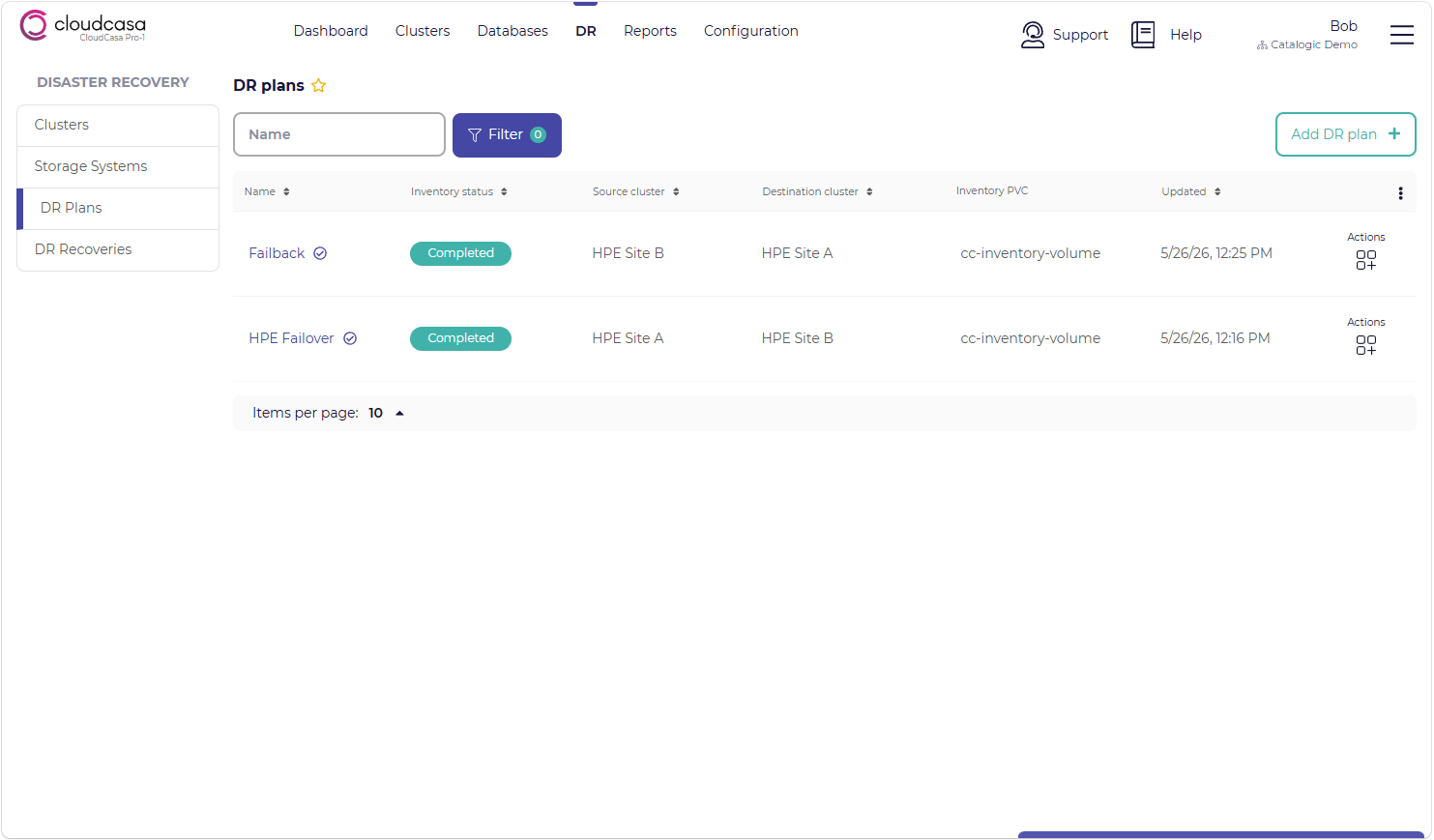
The DR Plans page allows you to create, view, edit, and remove CloudCasa DR Plans. A DR Plan describes the workload(s) on a cluster that will be protected with CloudCasa DR failover capability, as well as the destination (target) DR cluster and the storage systems involved.
Existing DR Plans are listed with their Names, Inventory statuses, source and destination clusters, and Inventory PVCs.
The available actions for each DR Plan may include the following:
Run Inventory - Run an inventory job for this plan immediately. Normally, these will be run automatically at the defined inventory interval.
Remove - Delete the DR Plan.
Edit - Edit the DR Plan. Edit is not available for plans having DR recovery jobs that have already run.
Clone - Clone this DR Plan. Clone is available instead of Edit for plans having DR recovery jobs that have already run.
Note that DR Plans cannot currently be edited once a recovery job has run. If you wish to modify such a plan, you must instead clone it and modify the new plan.
From the DR/Plans page, clicking on a plan name will open a details page showing information about related storage volumes and consistency groups, as well as activity including inventory job runs and DR recovery job runs.
Adding a new DR Plan
The summary of steps for adding a new DR plan is:
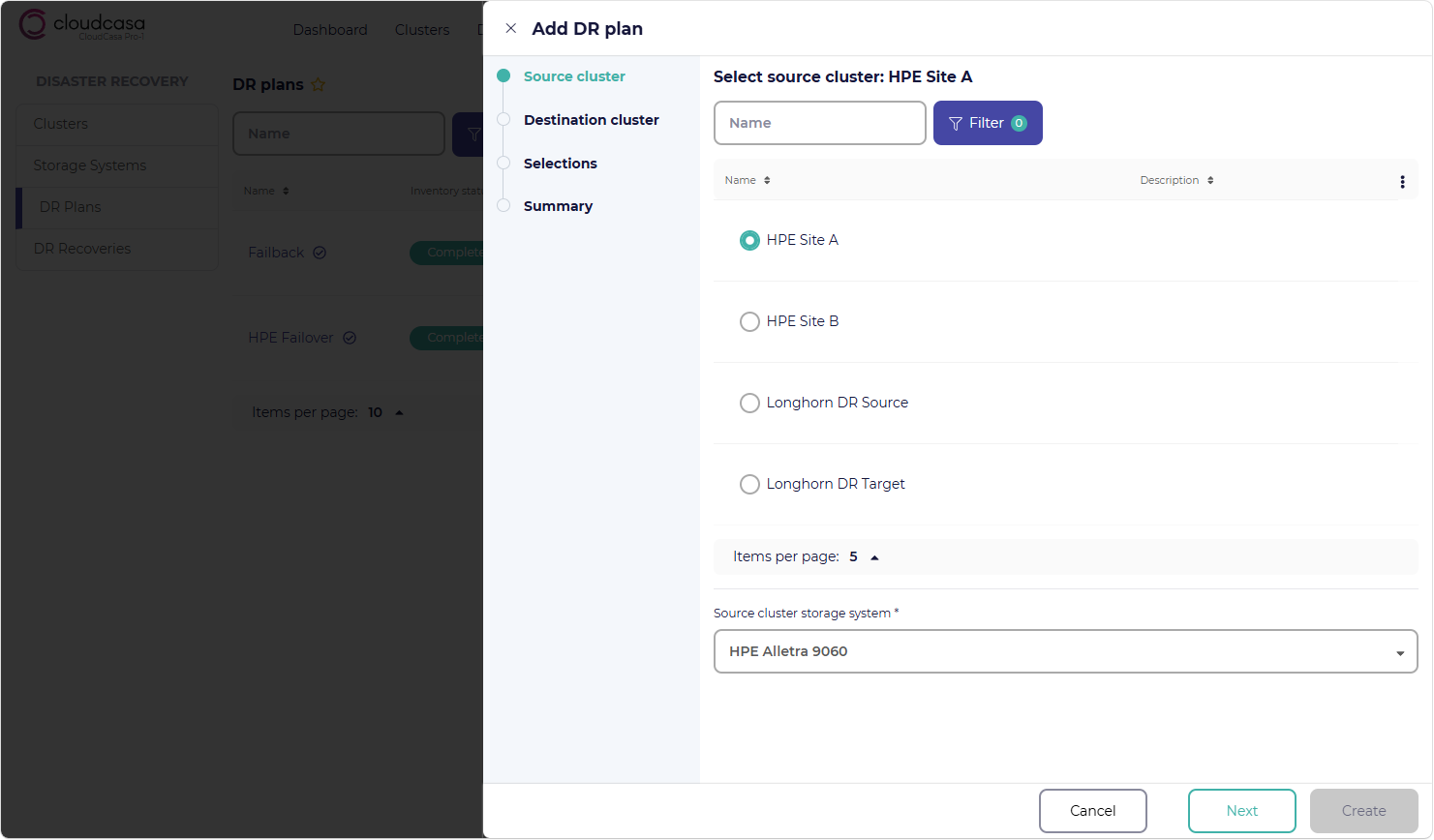
Select the source and destination clusters and their related storage systems.
Select what to replicate: Namespaces, VMs, Deployments, and StatefulSets.
Configure the inventory PVC and storage inventory interval.
Click the Add DR plan + button in the upper right corner of the page.
When creating a DR Plan, you will be prompted to supply the following information:
- Source cluster
This is the source, or primary, cluster that runs your workloads in normal operation. Select the source cluster from the displayed list of clusters enabled for CloudCasa DR.
- Source cluster storage system
This is the storage system used by the source cluster. Only storage systems linked to the source cluster will be available for selection.
- Destination cluster
This is the destination, or failover, cluster that will run your workload after DR failover. Select the destination cluster from the displayed list of clusters enabled for CloudCasa DR.
- Destination cluster storage system
This is the storage system used by the destination cluster. Only storage systems linked to the destination cluster will be available for selection.
- Selections
The selection of which Kubernetes resources to replicate to the target cluster as part of the DR Plan. You can select either Namespaces or a mixture of VMs, Deployments, and StatefulSets (but not both).
- Name
The name you wish to use for this DR Plan.
- Inventory PVC
The name of an existing PVC in the cloudcasa-io namespace on the source cluster that will be used to store resource data. This PVC must have been created already, and its underlying storage volume must be configured with replication to the destination storage system/cluster.
- Storage inventory interval
A storage inventory job runs at this interval and collects information about underlying storage volumes, including their replication status.
As soon as a new DR Plan is created, an inventory job for it is automatically initiated.