DR Storage Systems
The DR Storage Systems page allows you to view, add, edit, and remove storage systems configured for use with the CloudCasa DR features.
Configured DR storage systems are listed in the table, along with their name, type, system information, validation status, configured replication targets, and creation/update times. Note that not all columns are enabled by default.
The user actions Edit, Validate, and Remove are available for each listed storage system.
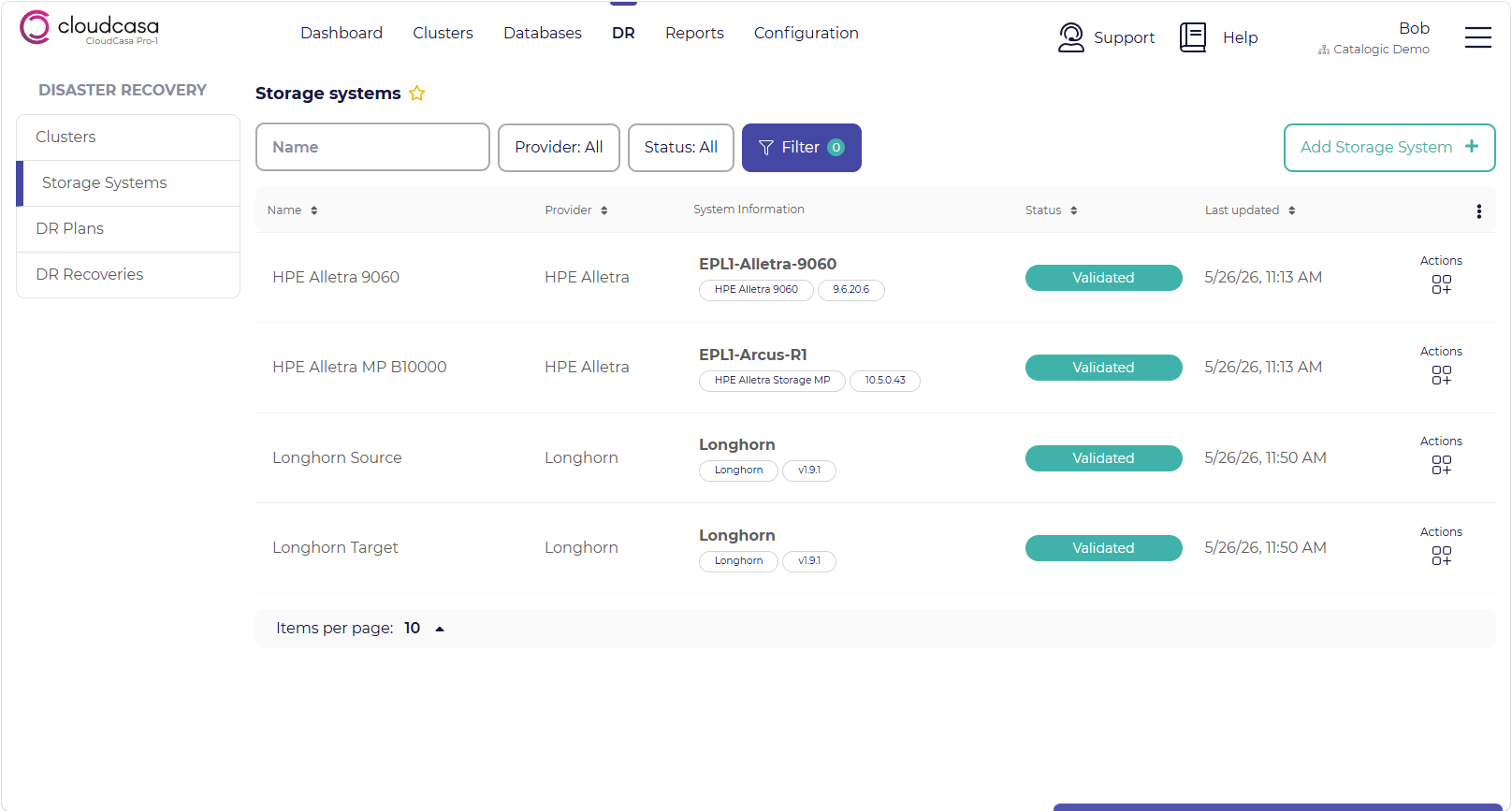
Adding a storage system
DR storage systems must be configured in CloudCasa and linked to the appropriate clusters before creating DR plans.
To add a new storage system:
Select the Add Storage System + button in the top right of the page.
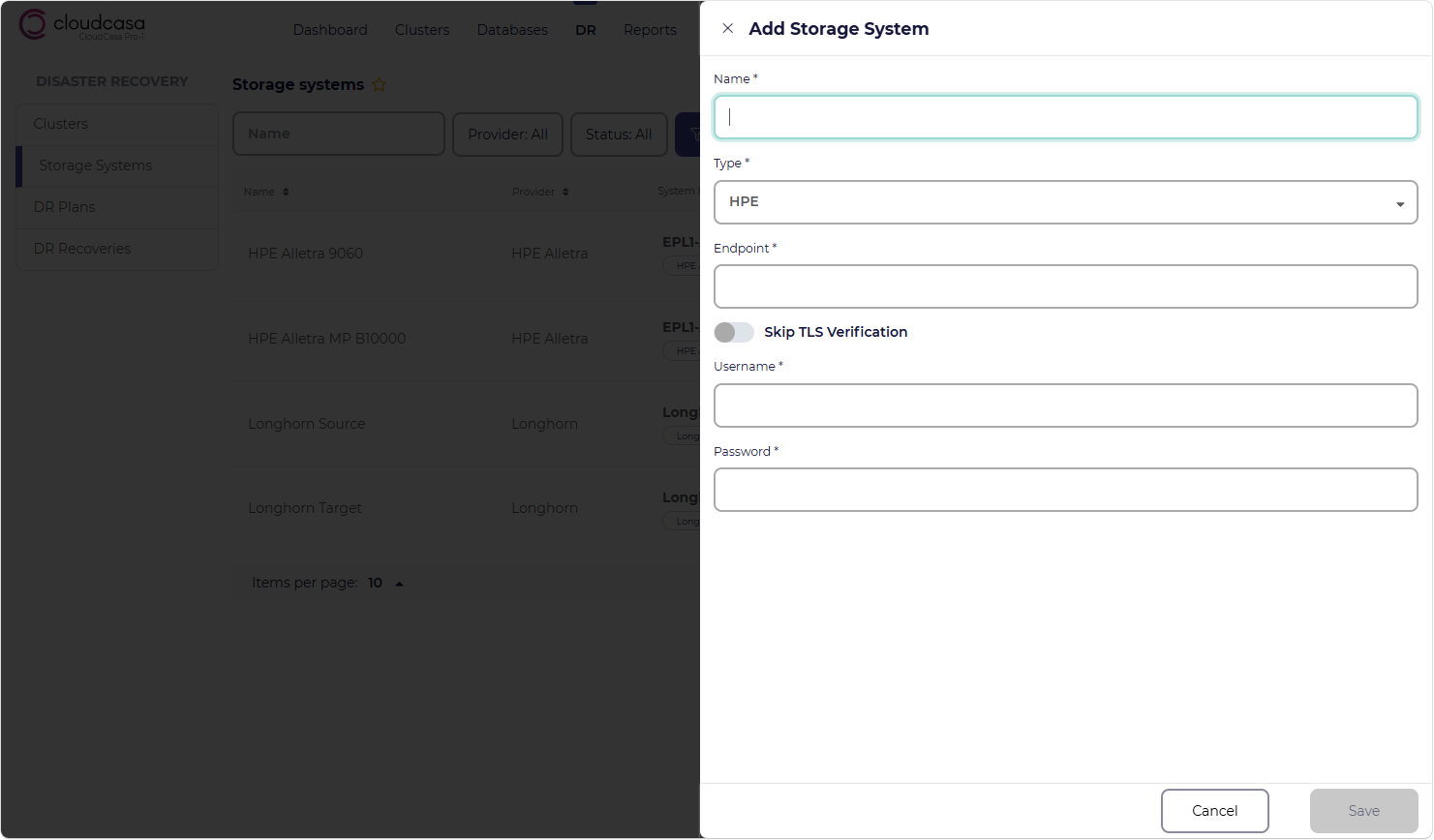
Complete the Add Storage System wizard.
Validate the Storage System (requires supplying a proxy cluster).
The Add Storage System wizard contains the following fields:
- Name
Enter the name you wish to use to refer to the storage system.
- Type
Select the type of storage, which can currently be “HPE Alletra Storage” for HPE Alletra Storage 9000 and Alletra Storage MP B10000 storage arrays using HPE Remote Copy, “SUSE Storage/Longhorn” for SUSE Storage or Longhorn using Longhorn Disaster Recovery Volumes, or “Dell PowerStore” for Dell PowerStore family storage arrays using PowerStore synchronous or asynchronous replication.
- Endpoint URL (HPE Alletra and Dell PowerStore Storage only)
The endpoint URL for the array’s management API.
- Disable TLS certificate validation (HPE Alletra and Dell PowerStore Storage only)
Enable this option to skip TLS certificate validation for the API endpoint. This may be necessary if using self-signed or expired TLS certificates.
- Username (HPE Alletra and Dell PowerStore Storage only)
The username to use to authenticate to the array’s management API.
- Password (HPE Alletra and Dell PowerStore Storage only)
The password to use to authenticate to the array’s management API.
- Namespace (SUSE Storage/Longhorn Only)
The Longhorn installation namespace. This is the namespace you supplied when you installed Longhorn, and is typically “longhorn-system” for both Longhorn and SUSE Storage.
Click Save when done.
After you add a new storage system, the system will open another dialog prompting you to validate it. To do this, you must select a Proxy Cluster. This can be any cluster that has network access to the storage system, and which will be used to perform the validation. Typically, this should be one of the clusters that normally uses the storage, and for which you will be configuring CloudCasa DR.