Audit Log
CloudCasa’s Audit Log feature allows you to review and optionally download records of all successful create, update, and delete requests made for all CloudCasa resources in your organization.
From the menu bar, click Configuration/Audit Logs.
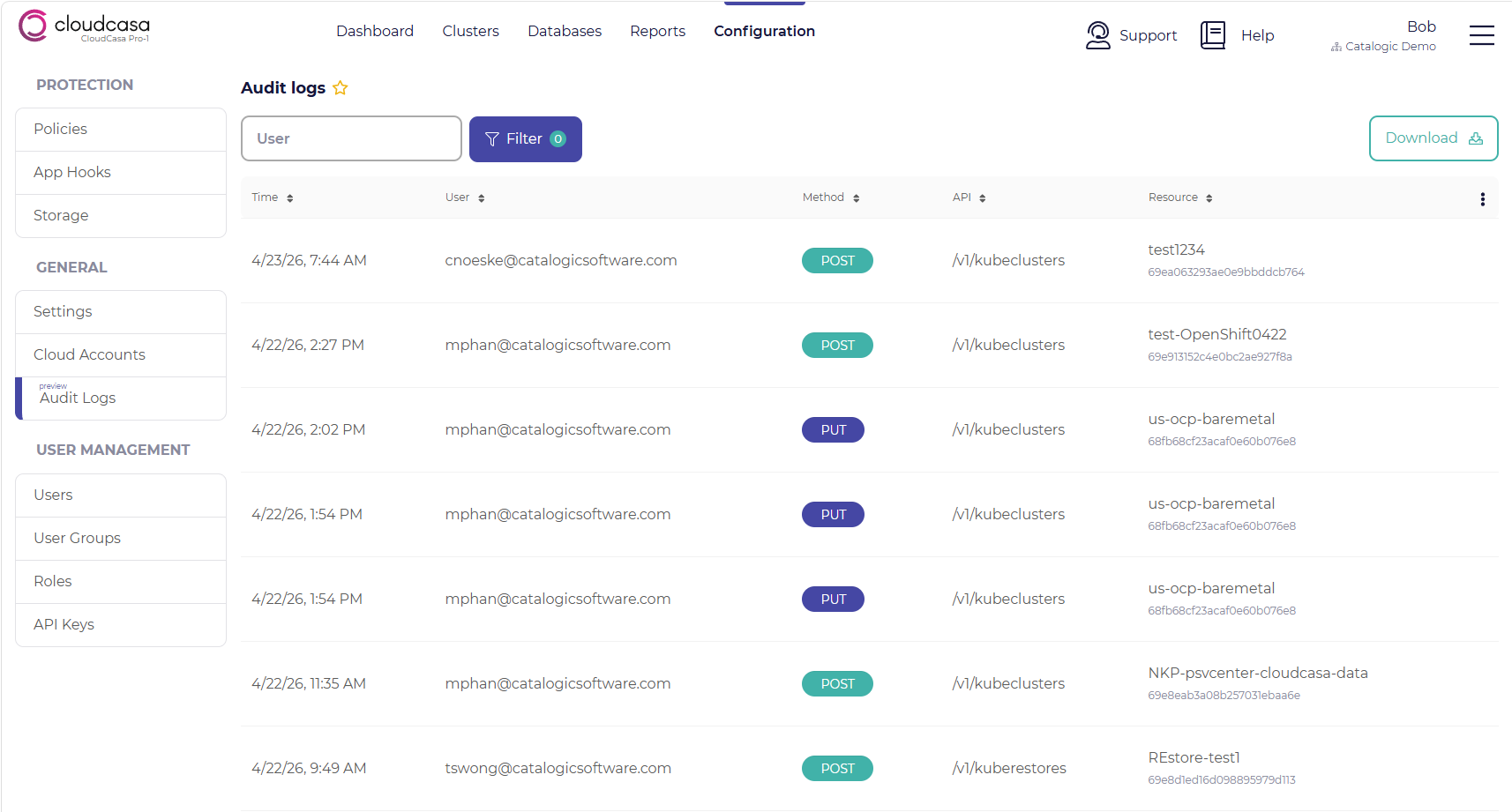
Currently audit log records are in the form of CloudCasa REST API requests. Each audit log record contains a timestamp and the user or API key that issued the request along with other request details. Records can be sorted or filtered on any field.
You can also download audit logs in JSON or CSV formats by clicking the “Download” button in the upper right of the page. This will open a dialog where you can choose the format and time range for the download.
Note
Audit logs are only visible to users with the ADMIN role or users with a custom role that has the “Audit Logs.View” permission.