DR Clusters
The DR Clusters page provides information about all of the Kubernetes clusters that have been configured to use CloudCasa DR. CloudCasa DR allows CloudCasa to support low-RTO/RPO disaster recovery (DR) by integrating with remote volume replication capabilities provided by the storage layer.
See also
See CloudCasa DR for the list of storage systems supported by CloudCasa DR.
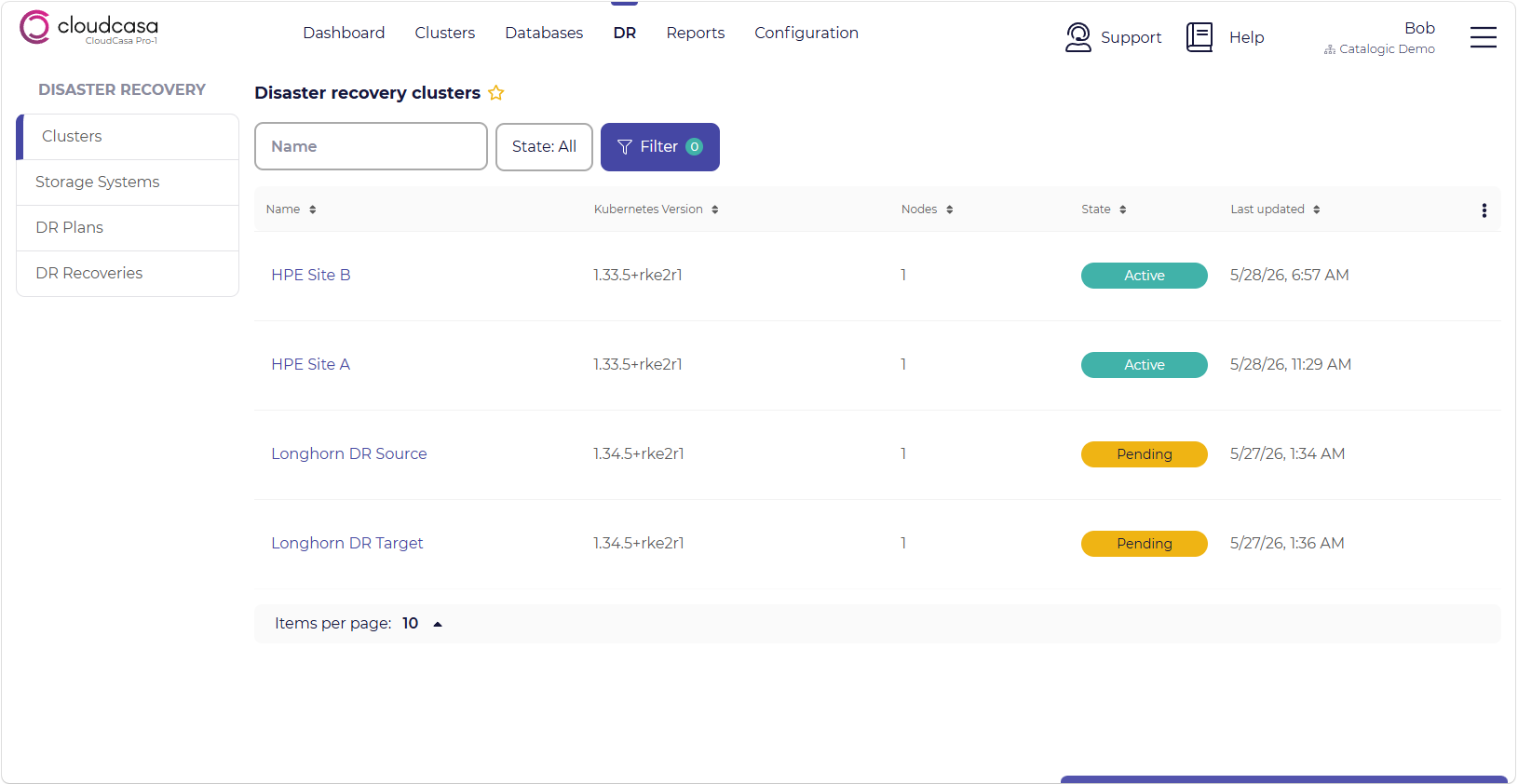
The DR/Clusters page shows a view similar to the Clusters/Overview page.
From the menu bar, go to DR/Clusters. In the list of cluster instances, you will see the name, description, version, status, tags, modified time, and creation time for each cluster instance. You can also filter and sort the cluster instance list by these values. Note that not all columns are displayed by default.
Cluster status can include the following states:
ACTIVE - The cluster is configured and the agent is running and connected.
PENDING - The cluster was previously ACTIVE, but the agent has lost its connection.
REGISTERED - The cluster is configured, but the agent has not yet connected to CloudCasa.
Click on a cluster to open the DR Cluster Dashboard page for that cluster (see below).
Note that CloudCasa DR features are only available to users with premium subscription plans. There are additional per-worker-node charges for using CloudCasa DR.
Cluster DR Dashboard
You can drill down on any item in the cluster list to see a page with additional information including:
Cluster name
Cluster ID
Connection status
Kube system UID
Kubernetes version
Agent version
Node count
There is also a tab that displays a list of all linked Cluster Storage Systems. Each is listed with its name, status, and status message.
The following actions are available for each listed storage system:
Unlink - Unlink the storage system from the cluster in CloudCasa.
Verify connection - Re-verify CloudCasa’s connection to the storage system via the proxy cluster.
Edit - Edit storage system linking details for the cluster.
Near the top of the page, a Link storage system + button is available to link new storage systems to the cluster.